Backups
Secure cloud backup and analysis for ArcGIS environments
Trusted by teams using:
Recent Backups
| Service | Last Backup | Status |
|---|---|---|
| Planning Maps | 2h ago | Complete |
| Utility Network | 4h ago | Complete |
| Parcels Layer | 6h ago | Complete |
Recent Backups
| Service | Last Backup | Status |
|---|---|---|
| Planning Maps | 2h ago | Complete |
| Utility Network | 4h ago | Complete |
| Parcels Layer | 6h ago | Complete |
Core Features
Enterprise backup and analytics for your ArcGIS environment
Automated backup scheduling
Deep service analysis and reporting
Cloud storage with encryption
Dependency tracking
Full audit history and compliance

Backups provides automated, secure backup of your ArcGIS Online and Enterprise environments. Schedule automatic backups, analyze service dependencies, and maintain complete version control with encrypted cloud storage and audit trails for compliance.
What This Product Delivers
Protect ArcGIS data
Automated backups of maps, layers, and dashboards with encrypted cloud storage.
Restore in emergencies
One-click restoration of previous versions with full version control and audit logging.
Understand your environment
Analytics dashboards track content usage, storage, and service dependencies.
How Backups Protects ArcGIS Online
Inputs from ArcGIS Online
- Organization items and services
- Web maps and web applications
- Groups and sharing settings
- Backup schedules and rules
Backups Engine
Connects with ArcGIS Online using Named Users, scans content, and creates encrypted backup sets.
Outputs for Governance
- Versioned backup archives in secure cloud storage
- Downloadable exports of maps and data
- Dependency view of services and applications
- Activity log for audits and recovery tests
Inputs from ArcGIS Online
- Organization items and services
- Web maps and web applications
- Groups and sharing settings
- Backup schedules and rules
Backups Engine
Connects with ArcGIS Online using Named Users, scans content, and creates encrypted backup sets.
Outputs for Governance
- Versioned backup archives in secure cloud storage
- Downloadable exports of maps and data
- Dependency view of services and applications
- Activity log for audits and recovery tests
See Backups in Action
Explore the key features that protect your ArcGIS data and help you understand your environment.
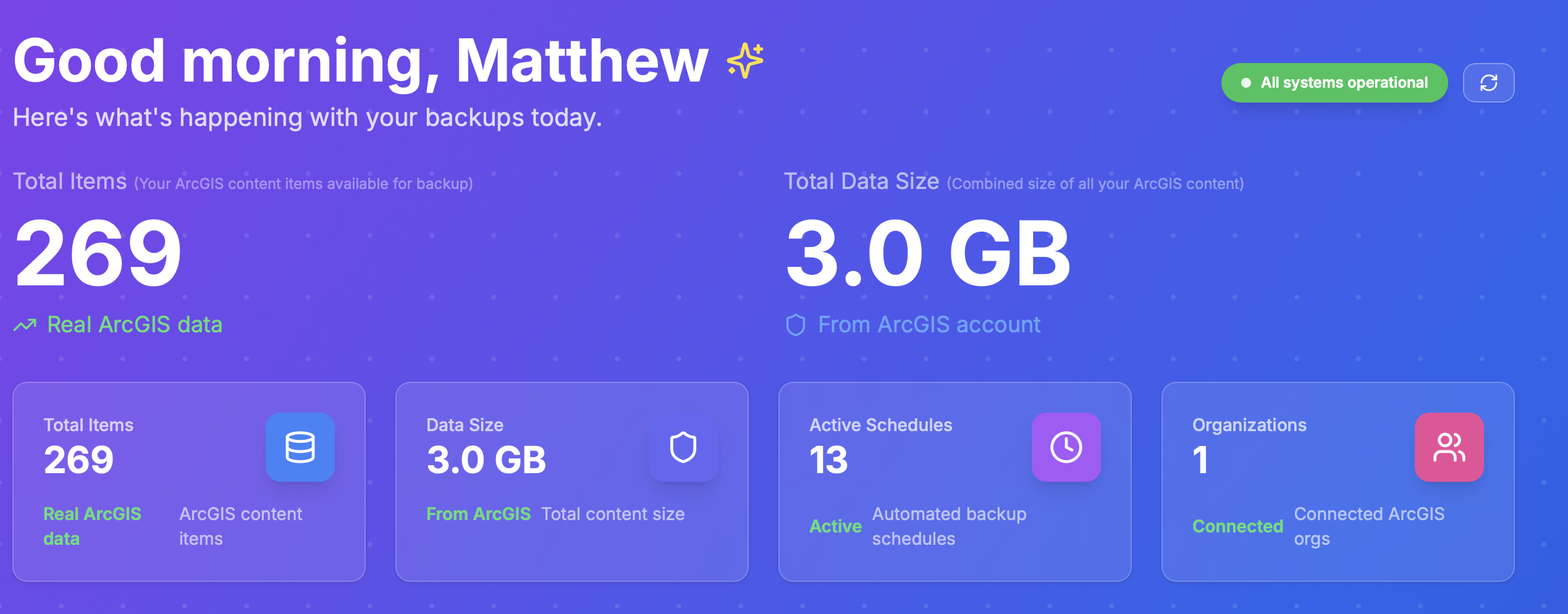
Personalized Dashboard Overview
Your dashboard shows total items, data size, active schedules, and connected organizations at a glance for complete visibility of your backup environment.
Live Backup Monitoring
Monitor backup activity in real-time with visual charts tracking total backups, data protected, and recent activity feeds showing the latest operations.
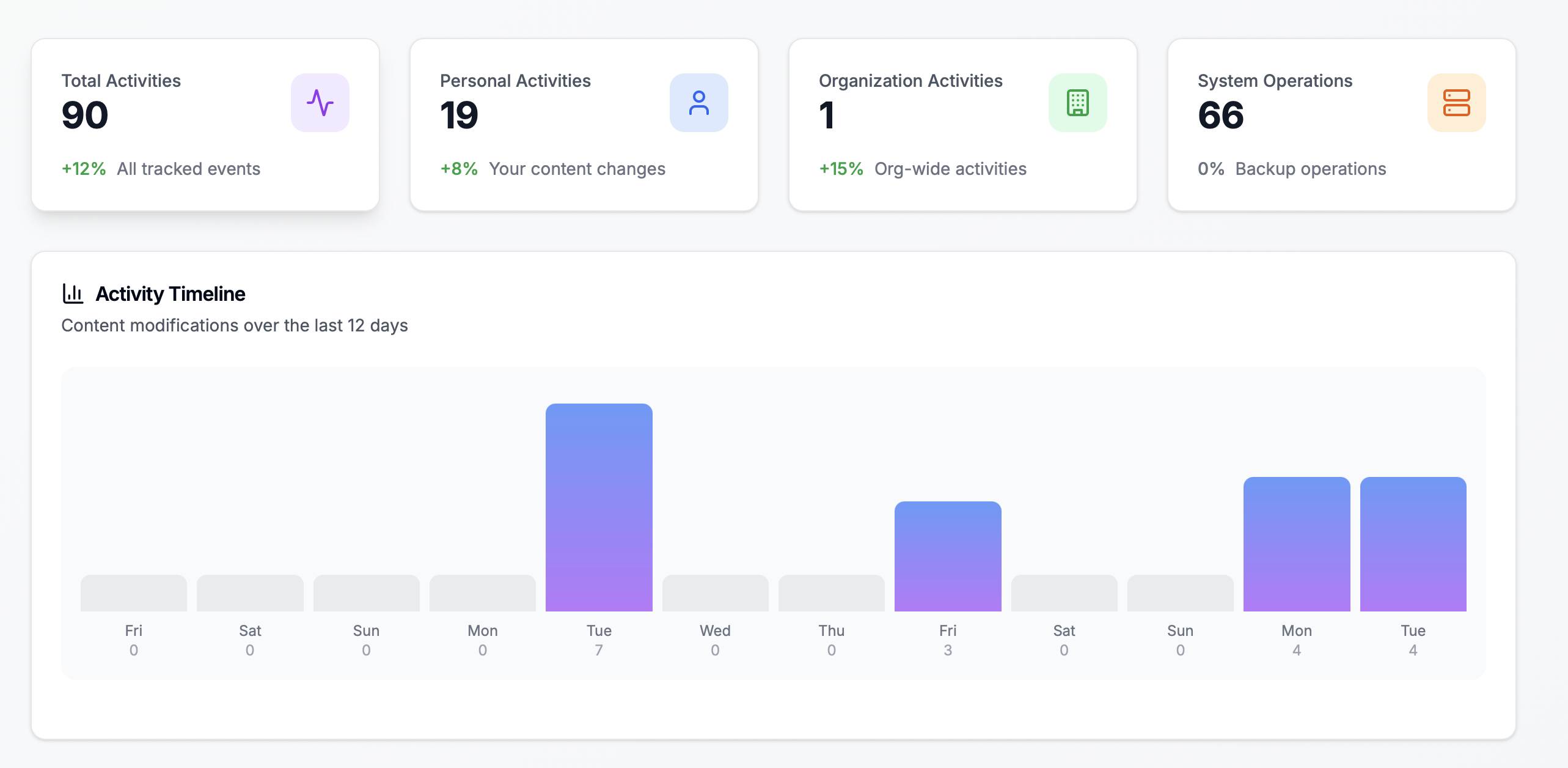
Activity Timeline
Track personal, organizational, and system activities over time with detailed charts showing content modification patterns across 12-day periods.
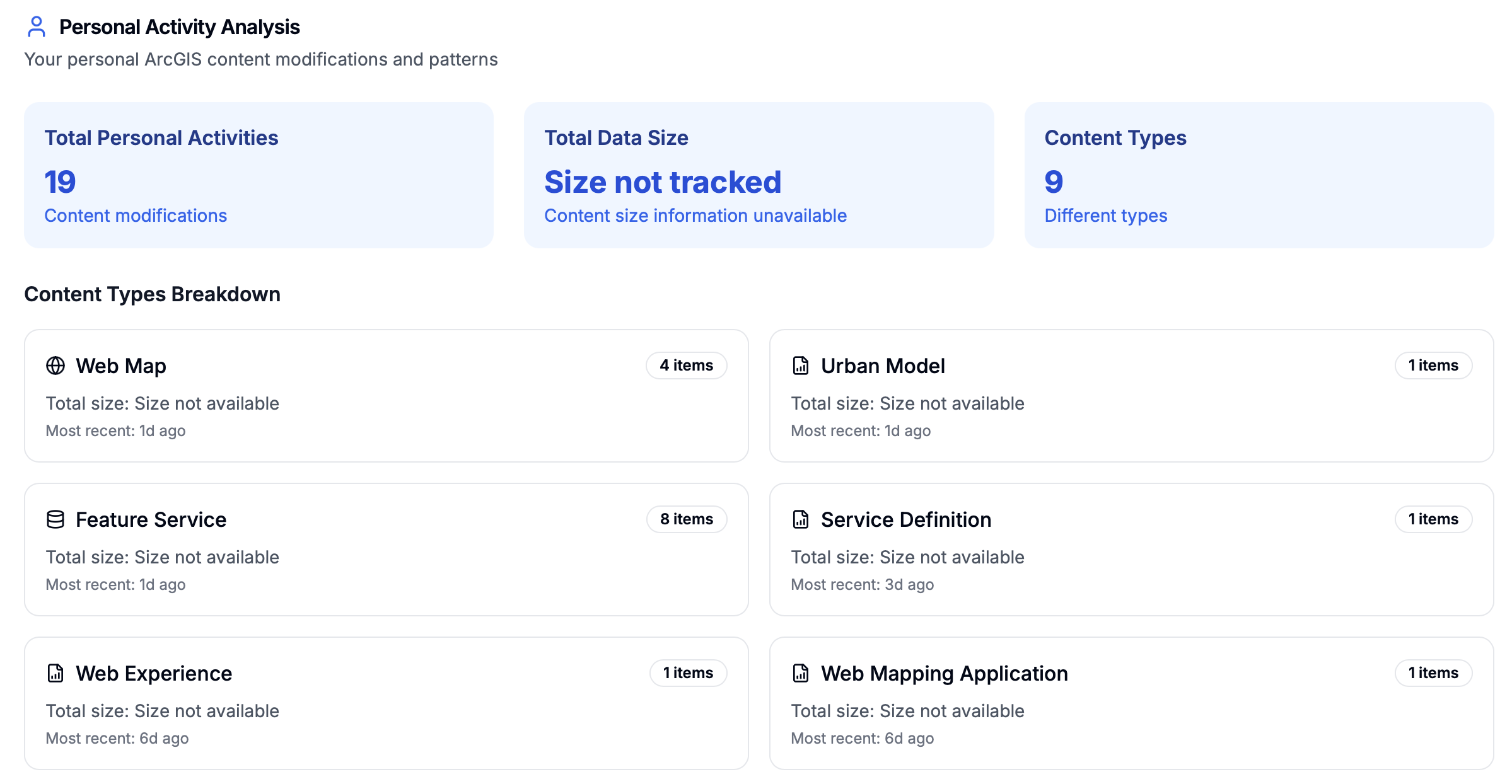
Content Type Breakdown
Analyze content modifications by type including web maps, feature services, urban models, and web experiences with size and recency information.
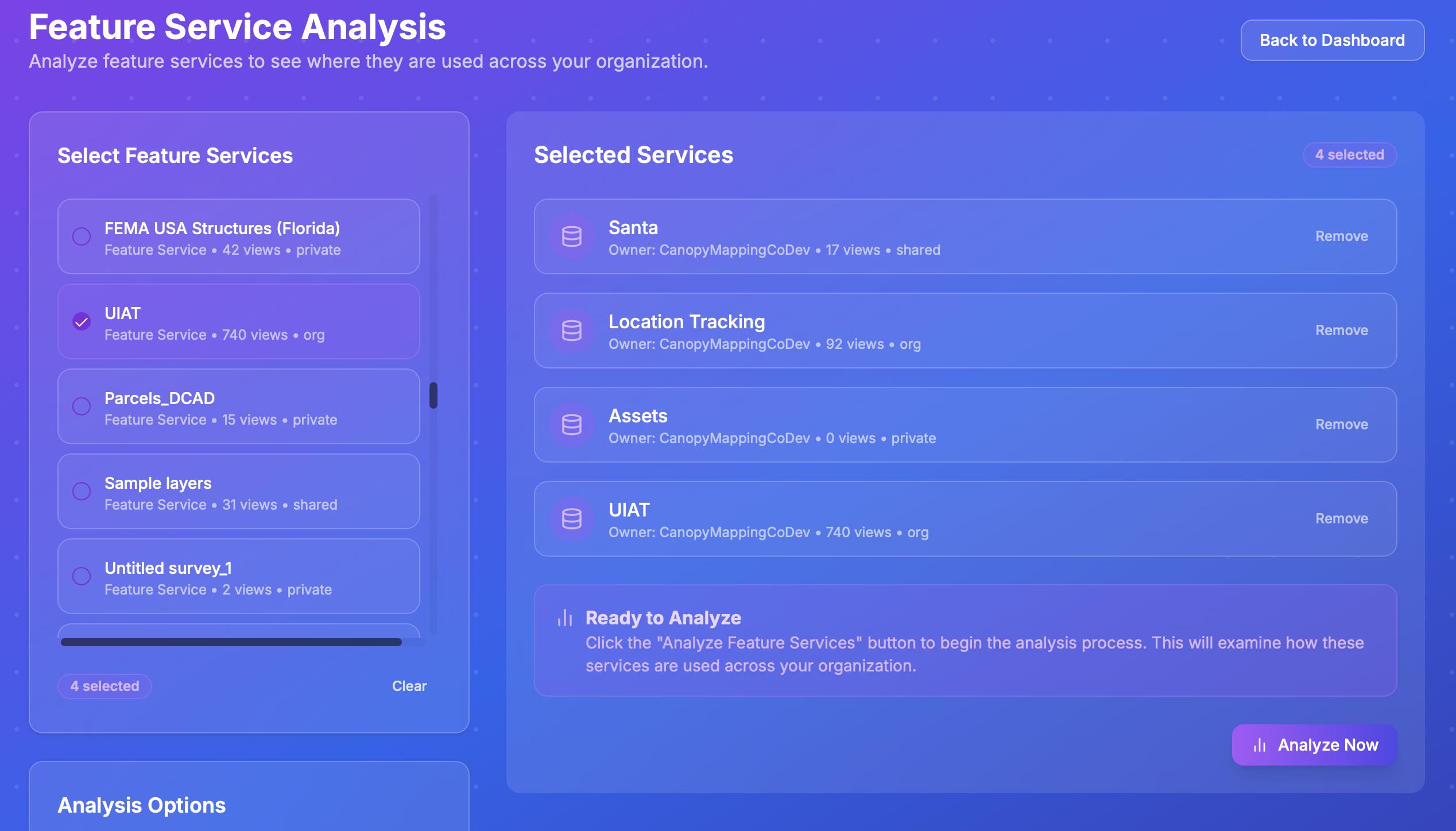
Feature Service Selection
Select and analyze feature services to understand their usage across your organization, identifying dependencies and impact zones before making changes.

Detailed Analysis Results
View comprehensive analysis results showing service usage, impact ratings, risk assessments, and content dependencies to inform your backup and maintenance strategies.
How Our Products Work Together
Backups protects your ArcGIS Online and Enterprise content with automated, secure cloud storage.
Backups protection flow
- • ArcGIS Online or Enterprise items
- • Services and content
Takes scheduled snapshots, compares changes, stores copies securely
Restorable backup sets, export bundles, and change reports for admins
Protect critical GIS content with scheduled snapshots you can restore and audit.
Key Features
Item-level backups
Capture every map, layer, app, and service with full metadata and sharing permissions.
Service dependency mapping
Identify what services rely on each layer and detect orphaned or duplicated content.
Backup scheduling
Define retention policies and backup frequency to match your IT governance requirements.
Cloud retention
Encrypted storage in Azure or AWS with configurable retention periods and compliance support.
Analytics dashboards
Track total items, data size, active schedules, and connected organizations in one view.
Technical Capabilities
Frequently Asked Questions
How does Backups for ArcGIS Online work?
Backups automatically connects to your ArcGIS Online organization and creates encrypted copies of all your content including maps, layers, web apps, dashboards, and services. Backups run on a schedule you define and are stored in secure cloud storage.
Can Backups restore individual items or entire organizations?
Yes, Backups supports both granular item-level restoration and full organization recovery. You can restore a single map, a folder of content, or your entire ArcGIS environment with one click.
Does Backups work with ArcGIS Enterprise?
Yes, Backups supports both ArcGIS Online and ArcGIS Enterprise deployments. It can back up Portal for ArcGIS content, feature services, map services, and all associated data and configurations.
How secure is the backup storage?
All backups are encrypted at rest and in transit using industry-standard encryption. Storage is redundant across multiple geographic locations and follows SOC 2 compliance standards for data protection.
Protect Your ArcGIS Environment Today
Secure, analyze, and restore your ArcGIS content with confidence.